



Description
Logitech Logi Bolt USB Receiver | 956-000011
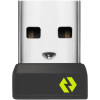
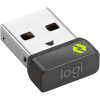
The Logitech Logi Bolt USB Receiver is a standalone replacement receiver for anyone who has lost or damaged the original receiver that came with their Logi Bolt wireless mouse, keyboard, or combo. It's also an essential accessory for multi-computer setups, allowing you to connect compatible Logi Bolt devices to a second machine with the same strong, secure wireless connection — keeping your workflow moving seamlessly between workstations.
Logi Bolt is Logitech's next-generation wireless technology, engineered specifically for enterprise-grade security and high-performance reliability in congested wireless environments. Unlike standard Bluetooth connections that can suffer from interference when surrounded by multiple Wi-Fi networks, wireless devices, and Bluetooth peripherals, Logi Bolt combines Bluetooth Low Energy wireless technology with FIPS-level encryption to deliver a connection that stays strong and stable even in open-plan offices, meeting rooms, and dense wireless environments with multiple competing signals. The result is a drop-off-free connection with up to 8 times lower latency than other commonly deployed wireless protocols.
The receiver's wireless range extends up to 10 metres, covering all standard desk and workspace configurations comfortably without signal degradation. A single receiver supports up to six Logi Bolt wireless devices simultaneously via the Logi Options+ app on Windows and macOS, meaning one nano-sized dongle occupying a single USB-A port can manage your mouse, keyboard, and additional compatible peripherals at once, freeing up valuable USB ports on your machine. Logi Bolt products are factory pre-paired to their receivers, making the initial setup genuinely plug-and-play on first use.
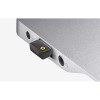
The nano-sized receiver is designed to stay plugged into your computer permanently — compact enough that it won't protrude dangerously from a laptop's USB port and won't interfere with other connected devices. Use it with any Flow-enabled Logi Bolt mouse to enable multi-computer cursor flow workflows, moving files and content between two connected machines with a single physical mouse. Compatible with Windows 10 and 11, macOS 10.14 and later, Linux, and Chrome OS.
For Lebanese professionals and home office users who need a replacement Logi Bolt receiver or want to expand their Logi Bolt setup to a second computer, the Logitech 956-000011 delivers the same trusted, secure, high-performance wireless connection as the receiver that originally shipped with their device.
Key Features:
- Replacement Logi Bolt USB receiver for compatible Logitech wireless mice and keyboards
- Logi Bolt technology — FIPS-level encrypted, enterprise-grade secure wireless connection
- Reliable, drop-off-free performance in congested wireless environments
- Wireless range up to 10 metres (33 feet)
- Up to 8× lower latency than other commonly deployed wireless protocols
- Supports up to 6 Logi Bolt devices on a single receiver via Logi Options+ app
- Nano-sized USB-A dongle — stays plugged in permanently without obstructing adjacent ports
- Compatible with Flow-enabled Logi Bolt mice for multi-computer workflows
- Plug-and-play setup — Logi Bolt devices factory pre-paired to their receivers
- Compatible with Windows 10/11, macOS 10.14+, Linux, Chrome OS
| Specification | Detail |
|---|---|
| Model | 956-000011 |
| Part Number | CU0021 |
| Brand | Logitech |
| Connector | USB-A |
| Wireless Technology | Logi Bolt (Bluetooth Low Energy + FIPS Encryption) |
| Wireless Range | Up to 10m (33ft) |
| Max Devices | Up to 6 (via Logi Options+ App) |
| Dimensions | 18.65 × 14.4 × 6.11mm |
| Weight | 1.68g |
| OS Compatibility | Windows 10/11, macOS 10.14+, Linux, Chrome OS |
| Color | Black |